

Cookies help us deliver our services. By using our services, you agree to our use of cookies.
GCmaker CAD/CAM Software
XR12 Software
GCmaker CAD/CAM Software
Design. Program. Cut. All From One Program.
Purpose-built CAD/CAM software for the XR12 CNC Rotary Tube & Pipe Cutter. Create parts, build assemblies, and generate cut-ready programs — no third-party software required.
What Is GCmaker?
GCmaker is the dedicated CAD/CAM software included with every XR12 CNC Rotary Tube & Pipe Cutter. It gives you everything you need to design parts, define cut profiles, and generate machine-ready programs — all from a single, easy-to-use interface. No expensive third-party CAD software. No complicated file conversions. Just open GCmaker, build your part, and cut.
Whether you're coping tube for a handrail, cutting structural steel for a building frame, or programming complex multi-feature parts, GCmaker handles it all. Software updates are free for the life of your machine.
No Third-Party Software Needed
Design and program parts without expensive CAD/CAM licenses. Everything you need is built in.
Easy to Learn, Fast to Use
Intuitive interface gets your team programming parts quickly — no CAD experience required.
Free Lifetime Updates
Software updates are included for the life of your machine at no additional cost.
Included Features
| ✓ Full Shape Library Tube, square, angle, C-channel, flat, I-beam, pole & more |
✓ Predefined End Conditions Miter, cope, bevel, block out, I-beam & sketch profiles |
| ✓ Quick Features Holes, slots, rectangular cutouts, marking & text |
✓ Array Patterns Rotational, helical, linear, pattern & circular arrays |
| ✓ Multi-Format File Import STEP, NC1, IGES, and DXF files |
✓ Assembly & Frame Builder Build multi-part assemblies and complete frames |
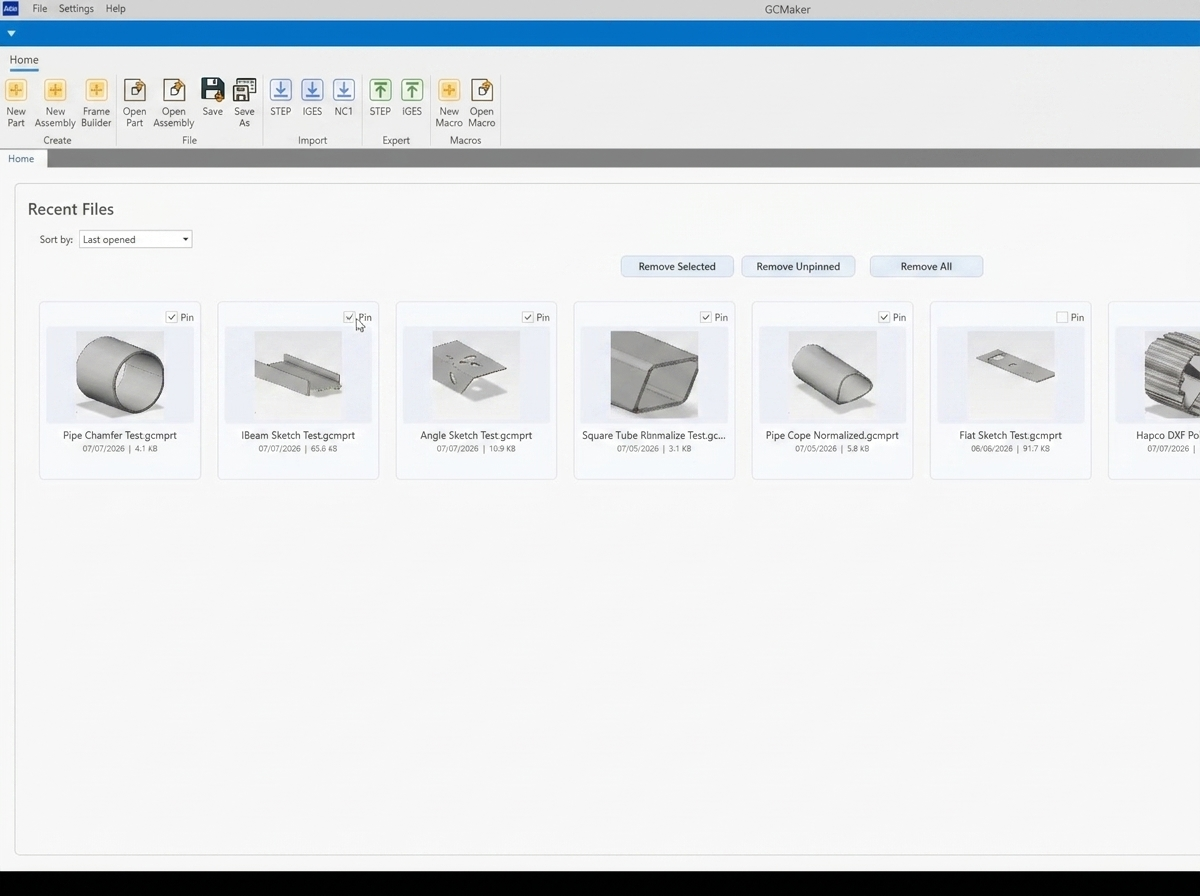
Homepage Environment
The GCmaker homepage puts every tool at your fingertips. Access all major functions from a single, organized workspace — no digging through menus.
User Preferences
Machine Settings
Material Manager
Plasma Settings
Cut Table Editor
Post Configurator
Profile Library
Tool Settings
Create New Parts
Create Assembly
Frame Builder
File Import: GCmaker supports STEP, NC1, IGES, and DXF file types — import existing designs and get cutting faster.
Shapes
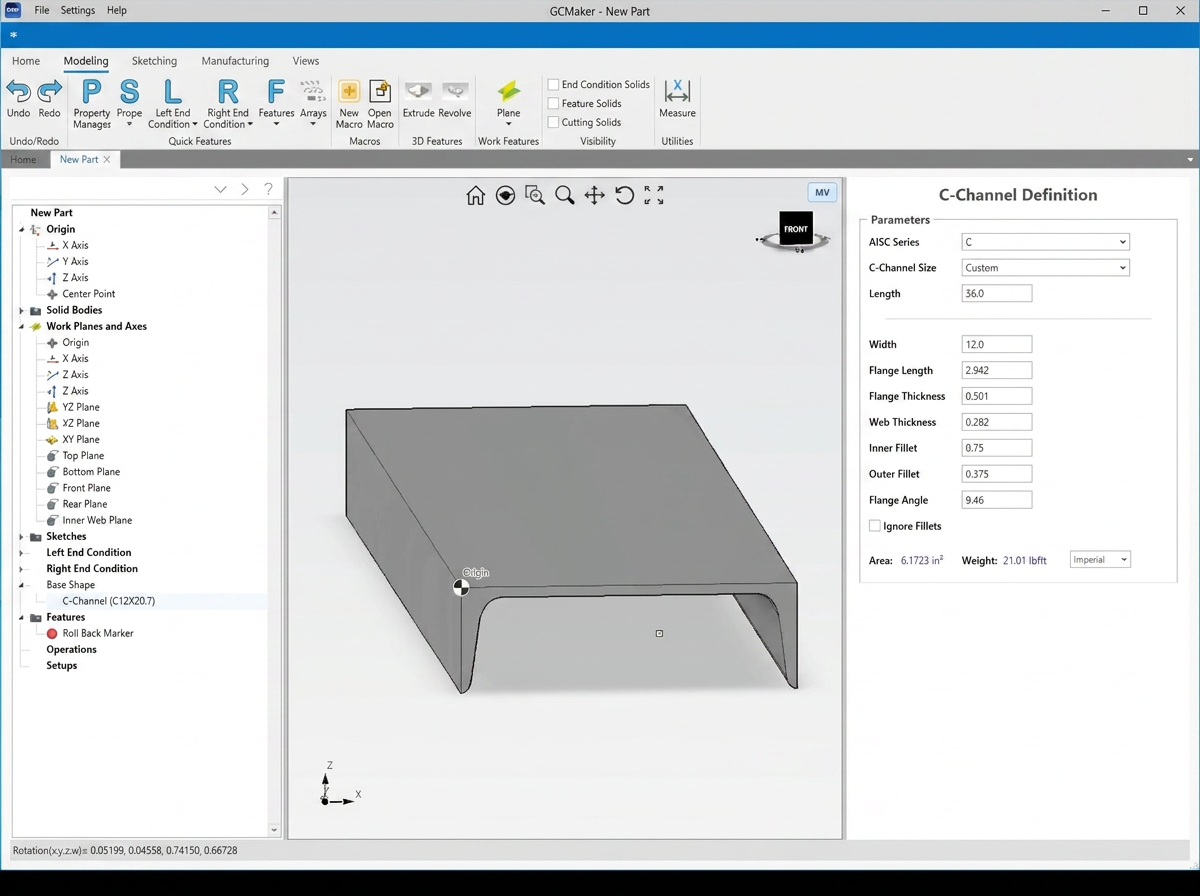
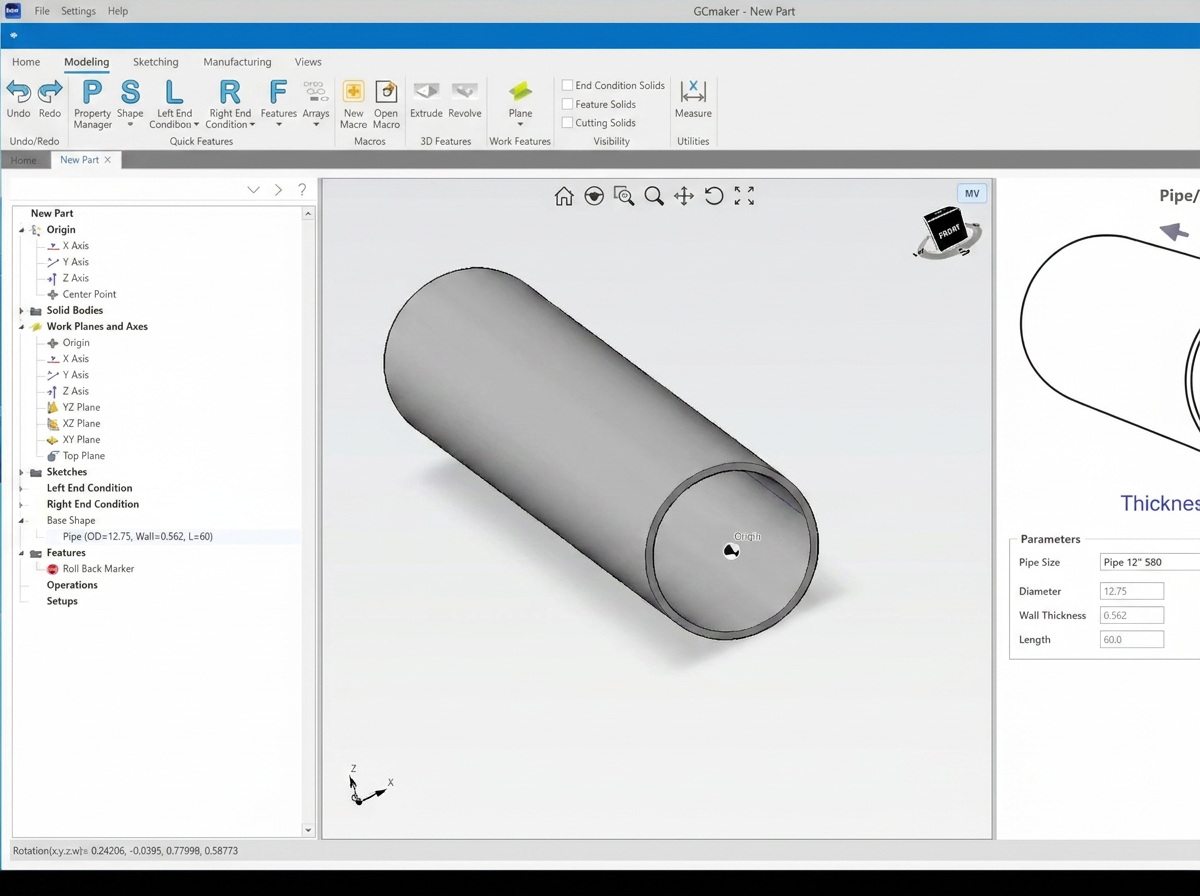
GCmaker includes a full library of shape types ready to use:
Tube & Pipe
Square & Rectangle
Angle
C-Channel
Flat
I-Beam
Pole
Polygon Tube
Sketching: Need a custom shape? The Sketching feature lets you create your own profiles outside of the included library.
End Conditions
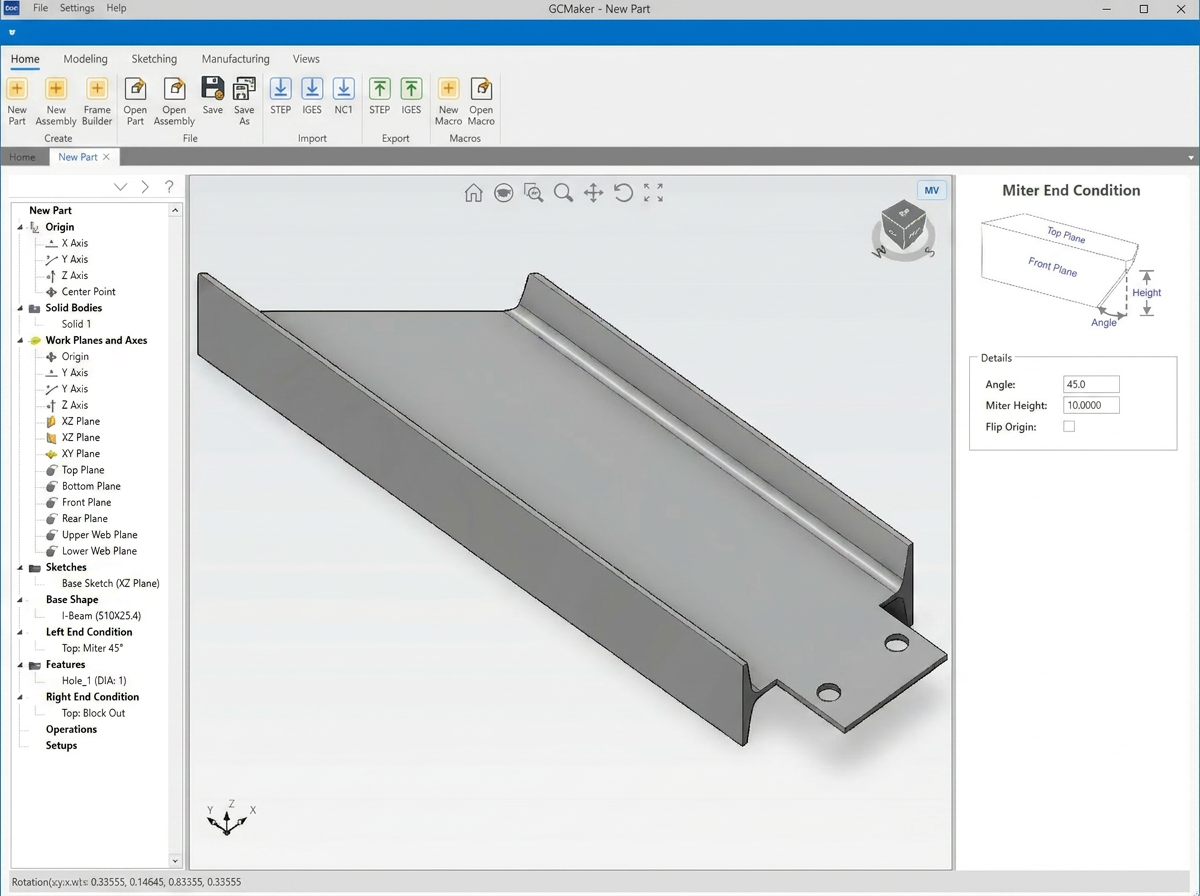
Predefined end conditions make it easier to add a customizable cut profile for the end of the material. GCmaker calculates and normalizes the material automatically. Available end conditions:
Miter Material
Cope Material
Beveling
I-Beam End Conditions
Block Out
Sketch & Extruded End Conditions
Quick Features
Create and modify features such as holes, slots, rectangular cutouts, marking, and text — all added directly to the inside of your parts.
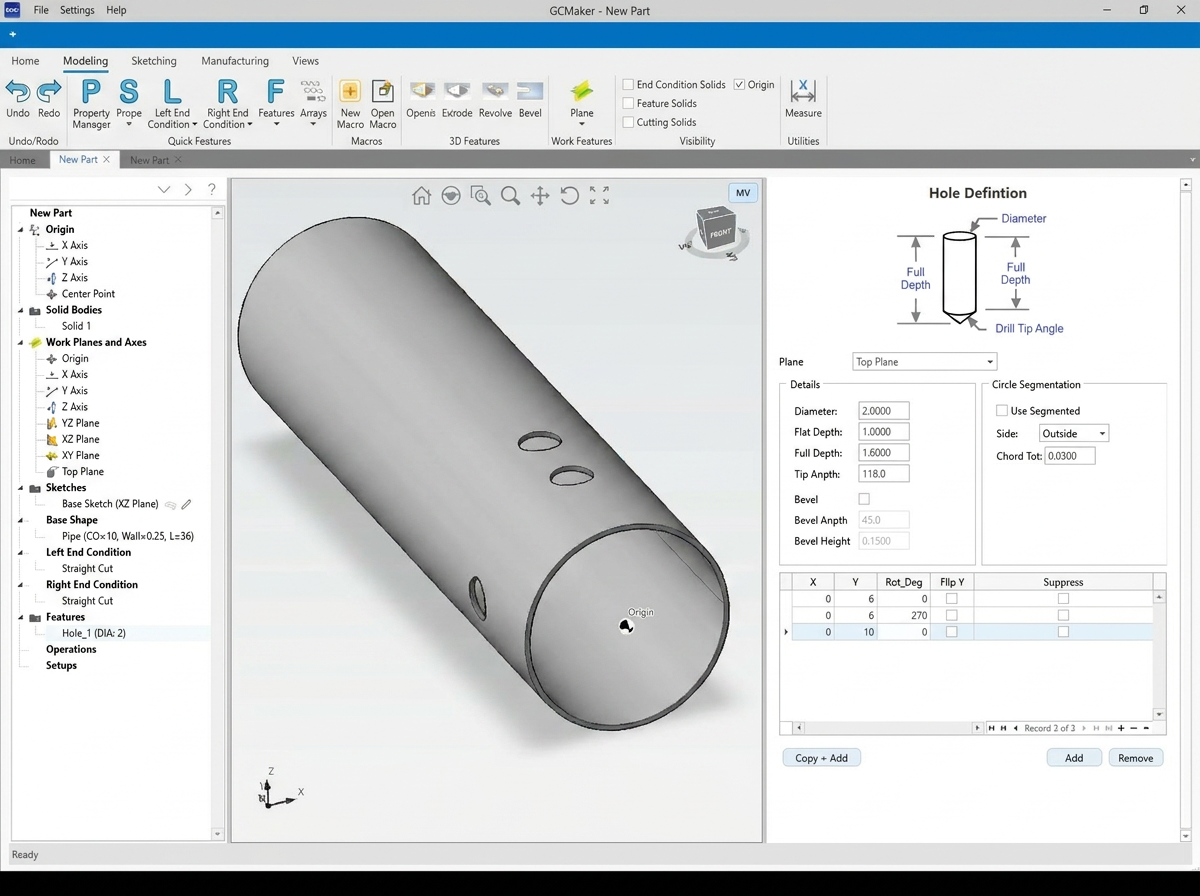
Holes & Slots
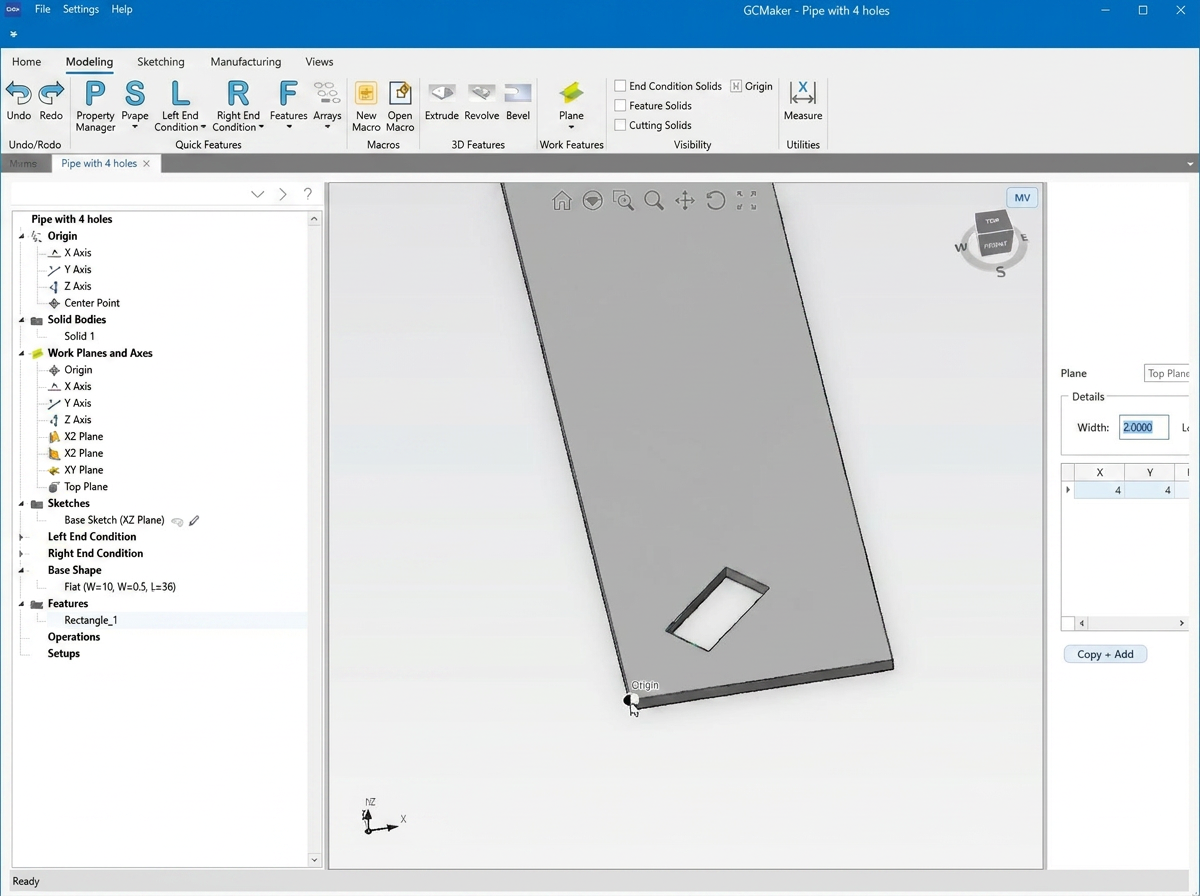
Rectangular Cutouts
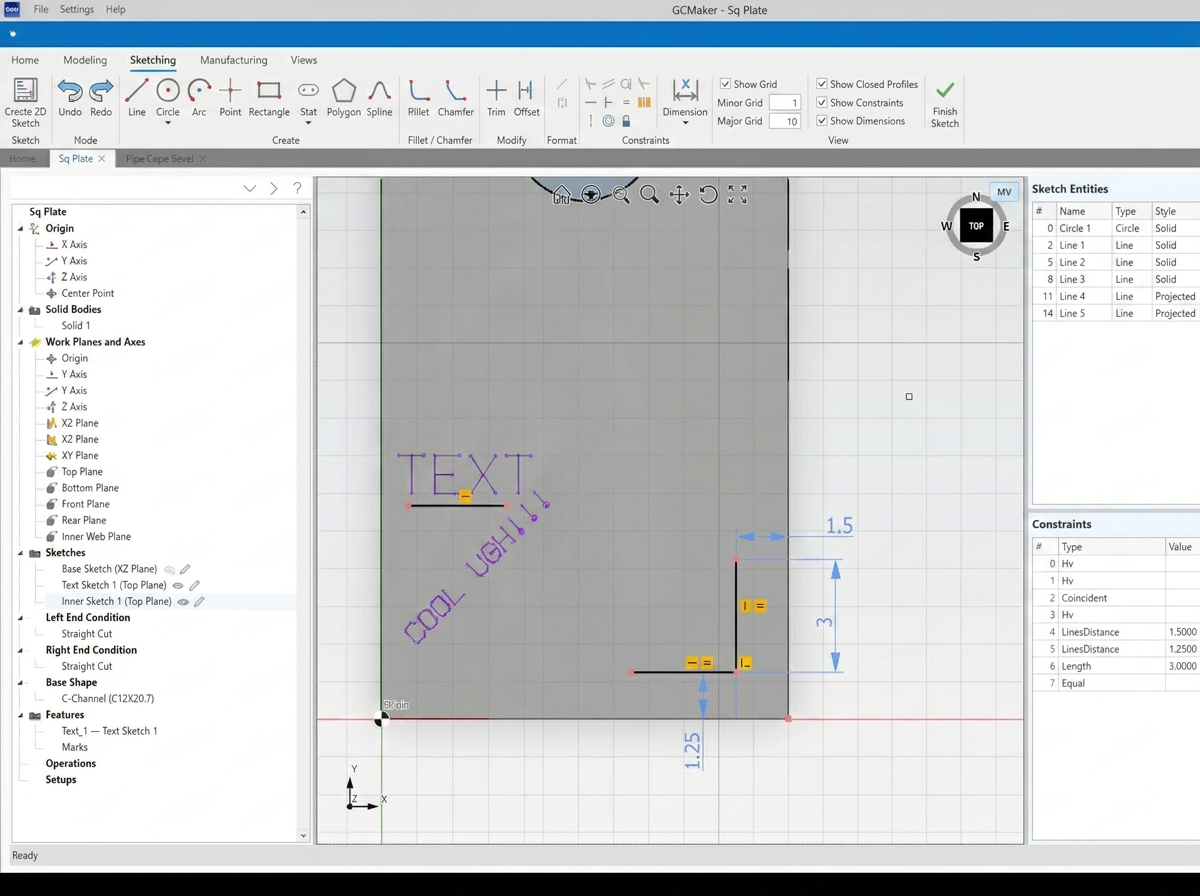
Marking & Text
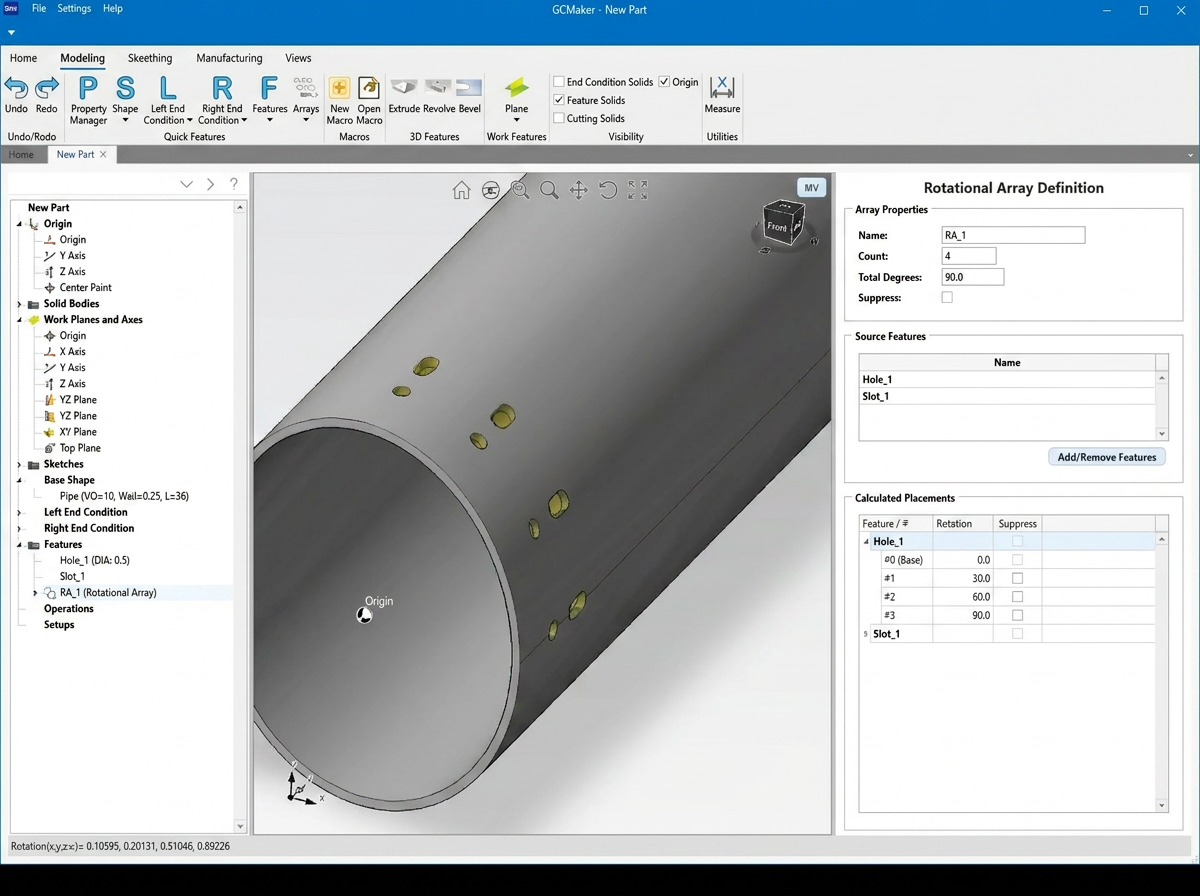
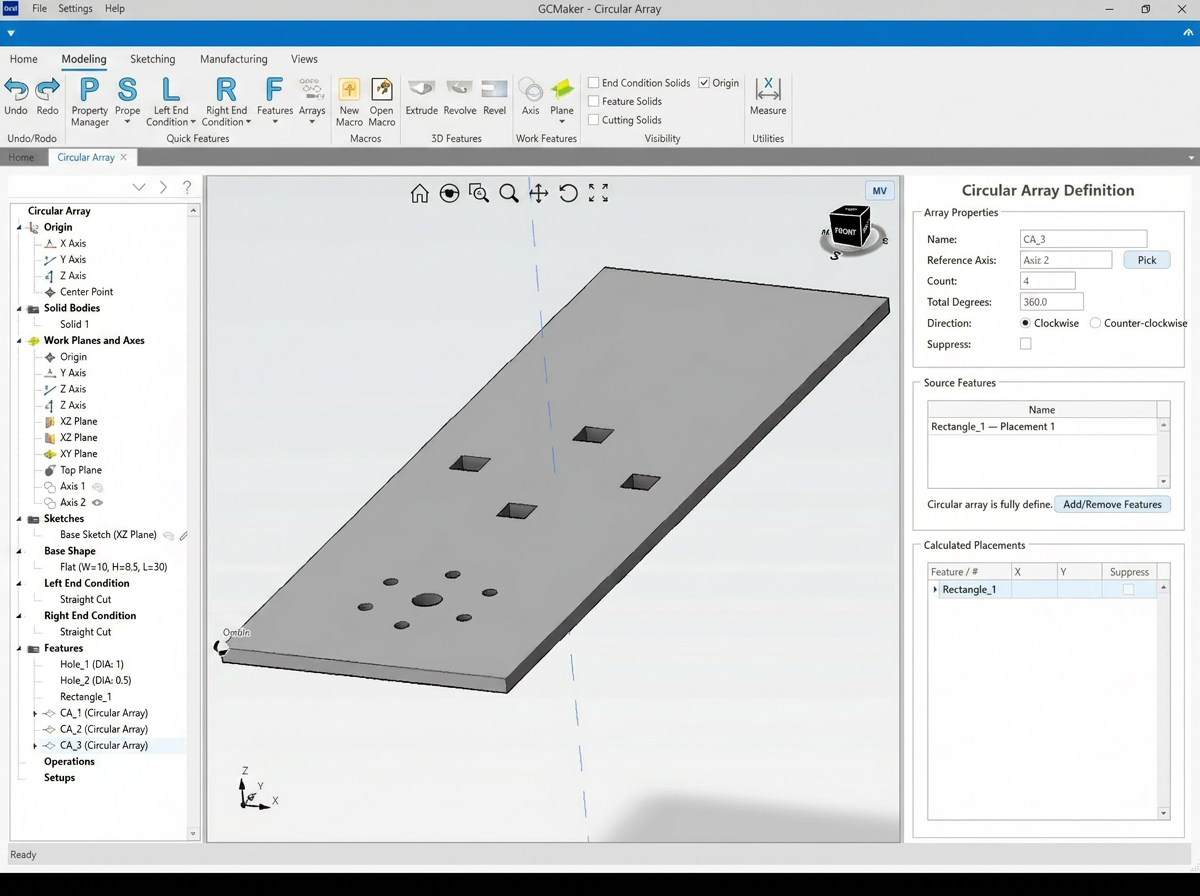
Arrays
Automatically duplicate a selected feature and arrange the copies in a specific, evenly spaced pattern. Array types included in GCmaker:
Rotational Array
Helical Array
Linear Array
Pattern Array
Basic Circular Array
Advanced Circular Array
Have Questions About GCmaker?
Whether you want to see the software in action, need help with a specific feature, or want to learn more about the XR12 — our team is here to help.
Contact Sales